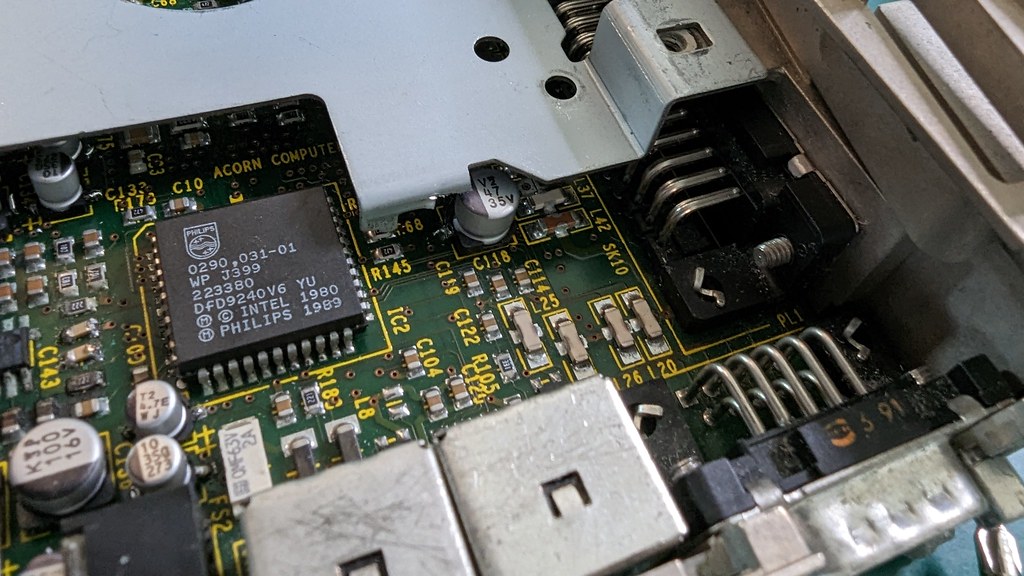
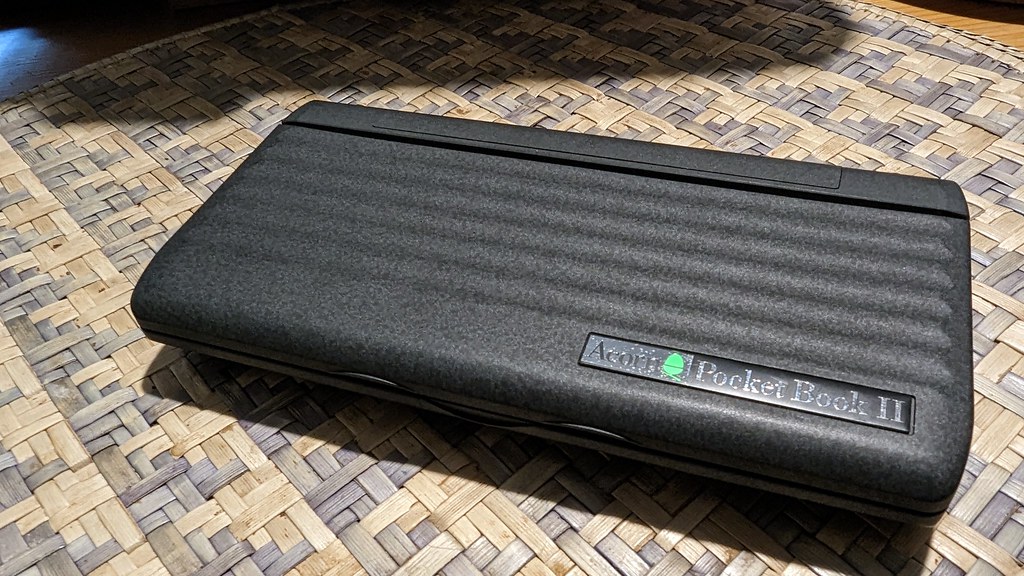
Tag: vintage computing

  • Success in limited ways

    So, the plan is to run Home Assistant. If you’ve not gathered that already.

    Why? I dunno. Because it interests me. Things I’d like to do with HA:

    • Monitor the charging stations
    • Monitor the solar
    • Maybe use the solar to restrict charging during solar hours, although not sure it’s worth it since we don’t have a Time Of Use tariff
    • Monitor the status of the chicken coop door (is it really open, is it really closed?)
    • Maybe control the coop door (just for shits and giggles, really, since we have a remote in the house)
    • Monitor our local air-quality
    • If I get really fancy, I might connect it to our heatpump, which isn’t terribly good at picking whether it should heat or cool. So it has about a 5-6F range of temperatures in the house that it vacillates around

    I dunno what else. We have smart-lights in the lounge (although I’m still aggravated that one of them randomly changed colour temperature and refused to change back – it *says* it’s the same as the others…but it’s really, really not).

    My original plan:

    • Use the OrangePi I bought to drive a small screen which displays HA on it *and* runs HA.

    This is… it turns out, unfeasible. That’s because despite getting it working, it’s unuseably slow. That’s my bad – I didn’t mean to buy an OrangePi One. I meant to get something with a bit more ooomph. My backup plan was

    • Use my RPi4 that was in my Mycroft prototype.

    Only… I’ve already put that in the Econet server, I remembered…after hunting for it for an hour.

    The remaining RPis are a 1B(?) and 2B. Neither of those is…well, better. My OPi is the 1Gb memory version, so it’s marginally faster than the 2B, probably. 900Mhz plays 1.2Ghz.

    Also, I don’t know where all my flipping MicroSD cards went (they’re probably with the ballpoint pens), because the only “spare” card I can find is a 2Gb unbranded one.

    So the new plan – which I have just enacted is:

    • Buy a new SBC (an OrangePi 5LTS) to run Home Assistant (they happen to be on sale this month! Excellent!). (Don’t forget to install Mushroom, Kate)
    • Setup the OPi for the Home Assistant display I’m planning to build
    • Setup the RPi2 as a camera for the coop (which requires a second WiFi dongle because the one I used to use with it seems to have expired)

    Hopefully this new plan will work well. Now I have a plan though, that means I can start setting the OPi up to be a Home Assistant screen, and I can start making the case for it too, which is going to be a lasercut affair. Whee! More projects!

    I also spent some time working on the Acorn Pocketbook II today. The screen arrived, but it shortly afterwards started doing sad LCD things. It’s got some permanent black pixels in the corner, which is very disappointing, but it clearly wasn’t there when it arrived.
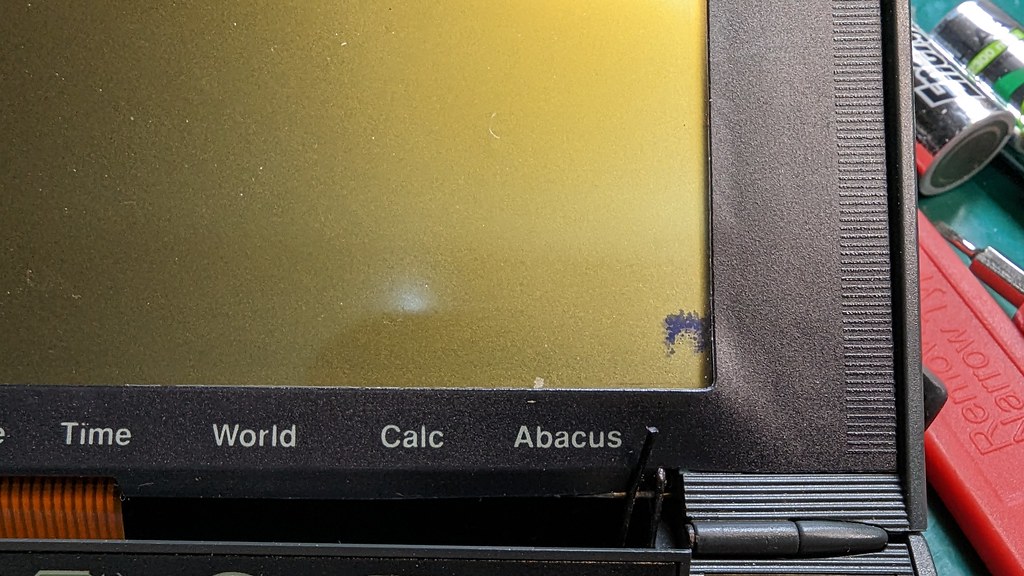
    PXL_20230614_224348032

    Also annoyingly, and I’m guessing this is related, the last few lines don’t work on the screen. It’s not a disaster, but after so much work to get it changed it’s rather sad.
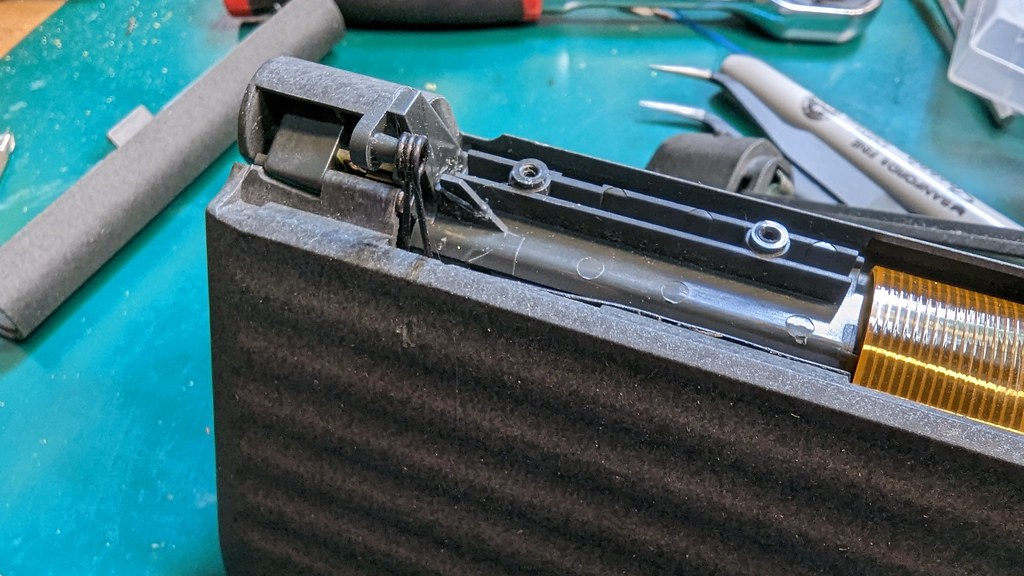
    PXL_20230614_224945391

    The main problem is that the hinge/spring mechanism for the button bar disintegrated slightly during assembly (the Psion 3 hurts my soul the way it’s assembled). I tried gluing it – but it didn’t hold, sadly. So now I need to get some Epoxy. But once that’s done it should actually work. In fact, I might be able to build two working ones from the bits I’ve got – one Psion 3a, which will be a bit untidy, and the Pocketbook II which will look neat but have an imperfect screen.
  • Accidental Productivity, and Psion failures

    Today I was unintentionally more productive than I intended to be. I’d not intended to be productive, well, maybe a little productive, but it got out of hand, like it usually does. Although I did spend nearly 2 hours just sat on the sofa reading (Annalee Newitz, The Terraformers – it’s excellent so far). It made up for yesterday which was mostly errands, which are productive and necessary, but I’m not good at feeling like I’ve achieved anything particularly when I’m just doing the adulting needed to live in the modern world.

    And yesterday was almost entirely errands (recycling run to the recycling, various stores hit up for stuff including the last two fence posts for the big bed in the garden, prescription collected…), although I did stop at Kathryn’s work for lunch with Kathryn which was very nice. I also had another go at the notPsion 3a. I’d had a suggestion on Mastodon to try applying some pressure to the top of the screen where there’s a wrap-around connector which can, apparently fail.

    And the spares Psion 3a (a real one), had arrived.

    The first idea didn’t work, sadly. And so I took apart the second Psion which initially didn’t seem to work at all – but when I got it somewhat in pieces I tested the screen on the Acorn and that did work – then I had a momentary nose at the spares one – and got it working! It turns out that was just a faulty battery connector cable, although the case for it is absolute garbage.

    It’s cracked in multiple places (the screen hinge was broken on one side, and I think the second side disintegrated during the process of disassembly).

    But then I found out something unfortunate. Despite the Acorn Pocketbook II apparently being a rebadged Psion 3A, it turns out that around 1994 – when the Acorn Pocketbook II appeared* – Psion changed the screen and the new screen got a new casing. This is something that even the person selling Psion spares on ebay who – apparently – used to work at Psion seems unware of (and didn’t seem to believe me despite me supplying photographic evidence)…

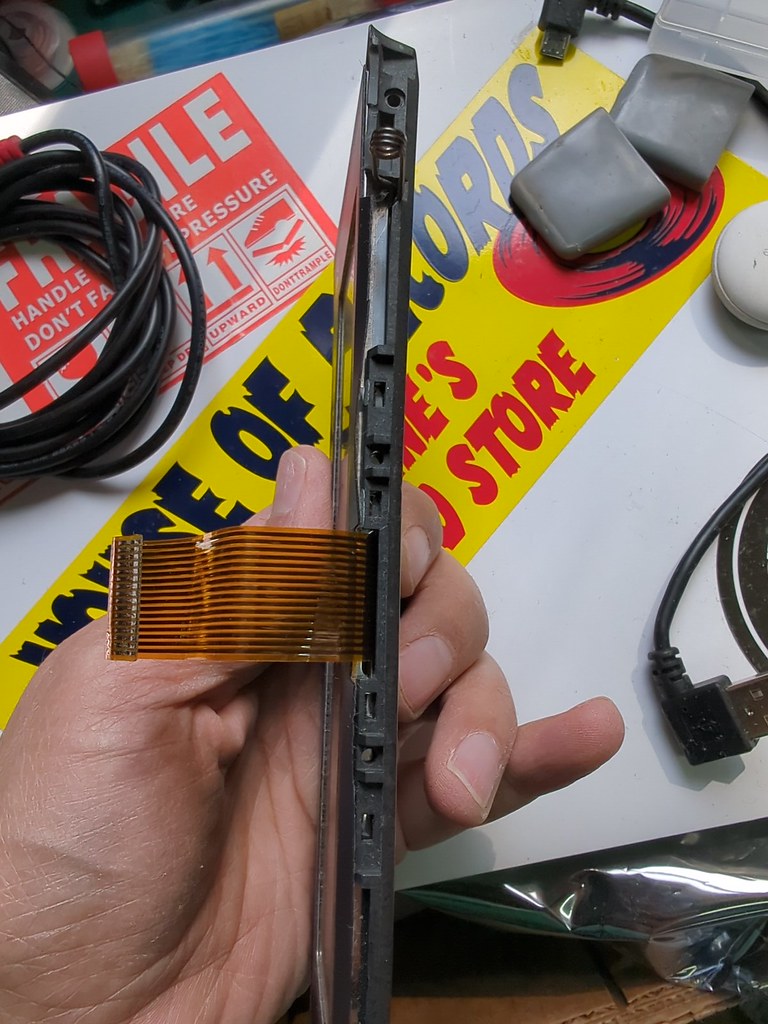
    This is what the edge of an early-to-mid 3A screen looks like

    IMG_20230427_111905

    …and this is what the edge of an Acorn Pocketbook II / Later Psion 3A looks like.

    IMG_20230427_112017

    Contrary to popular belief, the screens are not interchangeable. I *think* the clamshell as a whole would be, if you wanted to. And they are electrically compatible. But the internals and clips inside the screen clamshell are very different and would need extensive modification to fit.

    Thankfully, the photos they sent answered the question, but now I need to wait for a quote for shipping to the US :-/

    However, this whole odyssey has lead me to a point where I’m a bit nervous about actually using the bloomin’ thing once I get it working. I’d kinda thought about the Psion as something I could haul to work or wherever with me so I could do a bit of writing if I wanted to. But now – having spent quite a lot of time trawling through ebay auctions and discovered that the they all seem for 1993 or prior Psion 3As… Which makes getting spares for this thing a bit tricky.

    Ah well.

    Anyway, I also spent a chunk of yesterday tidying my desk – we have a renewal of our adoption homestudy due, and we’re taking the opportunity to do a bit of spring cleaning. My desk I find kind of irritating – at least in part due to the fact it’s not really a desk, it’s a adjustable height workbench, with no drawers. And because of the way the strengthener is placed you can’t easily put drawers under it.

    So this morning I decided to suck it up and order a new desk. It’s height adjustable, and I also ordered a monitor stand having finally got fed up with a chunk of the desk being taken up with monitor stands… anyhow, we’ll see if this works better. I hope so – being able to actually use the height adjust will be nice – and I also picked up a (shoe) rack that seems to just about support the printer, which fits under the old desk / workbench – kinda – which should mean that we can shuffle the printer to under the glowforge so I can actually have a bit of leg room.

    Anyhow. So today I did a whole bunch more washing up – including a frying pan that was being given away free in a box on the street that I spotted on my run. That took a *lot* of scrubbing, but the inside has come up pretty well. The outside less so :-/

    Laundry, all the adulting stuff (blech), and then I did a bit more on the house! Yes. I actually set to on the kitchen shelves – I decided to try the Laura Kampf joinery technique of clamping the two bits of wood together, then cutting them, the idea being that they’ll fit together pretty much perfectly.

    PXL_20230427_210832592

    This was the first time that I’ve used the biscuit joiner (it works!) and I have to say the heat and such made for a not ideal glue-drying time, which mean that I didn’t end up aligning the two halves as well as I’d like. Buuuut, I think it’ll do. We have to wait for it to dry – and yet again I’ve realized I need a *LOT* more clamps.

    Unsurprisingly, that took longer than I estimated it would (there’s a shocking thing), but instead of calling it quits on working (which was my original plan), I ended up deciding to go and put the “automatic window opener” on the greenhouse (on the hottest day of the year so far, with the sun blazing down). Irritatingly, but unsurprisingly, it was horribly made and a total nightmare to fit. It doesn’t really fit our greenhouse very well, but I eventually hodged the bugger in and I think it should work.

    Then, ice pop consumed, I sat down an enjoyed my book for a while. I know I have this drive to get things done, which sometimes can be kinda irritating to myself. I meant to have more of a break today – since this weekend we have the home inspection, and I’m going to be filming on Monday, and…tomorrow’s a workday. So this was a bit of a rest-fail. But I’m glad that I started on the shelves, it’ll be nice to get them up – although I still need to strip and blue the shelf brackets.

    * Apparently it launched in 1995, but mine says manufactured in 1994.

  • Horror Show: Resurrection

    So, having replaced all the capacitors, today was the day for reassembly. In a hilarious misjudgement I thought I’d do it before lunch, and then do something else in the sunshine after lunch.

    Ha.

    Ha ha.

    Part of the problem was that the instructions, such as they are, are “reassembly is the reverse of these instructions”, which would be fine except the dismantling instructions have no pictures and also have no notes about some of the random small bits of metal used to make contact between, say, the board, and the case. So I’d get some chunk of the way through, look suspiciously at a bit of metal, then end up going and watching my disassembly footage and discovering I’d gone way past where I should have put it in, then having to either backtrack and dismantle, or work out a way to squirrel it in.

    There were also some oddities – like the hard-drive mount, which clearly had been fouling this capacitor:

    PXL_20230216_205354149

    Well, when I went to install it I realized it very definitely fouls the new replacement capacitor:

    PXL_20230315_175136188

    I debated what to do about this, because I’m not reinstalling the original hard disk, so I could have just skipped putting the caddy in, but I feel like it adds some stiffening to a fairly floppy case, so in the end went with the expedient solution of using some tinsnips:

    PXL_20230315_175430277

    Eventually I managed to get the machine back together and tried for power on. Connecting a battery and trying it didn’t lead to success (although the battery reported only 20% SOC, which isn’t great considering it went into the bag at 100% so-said). Then I tried plugging in power, which still just led to the whine of the DC-DC board.

    Fearing the worst, I turned it off and sat down for a bit. That led to the realization that I could try the original HDD, because it might not be happy with the SD card. That gave me the information that it was spinning up the hard drive… but the computer wasn’t complaining about a POST failure (no flashing on the floppy disk drive light), and nothing on the screen.

    After another pause I realized that maybe I should reset the CMOS, because that was probably corrupt after my attacking the motherboard. That yielded a better result:

    PXL_20230315_215652709.MP

    Now, I *knew* what was wrong there. The lower half of the screen is fed from a different cable and I’d had a mare of a time getting it in. I wasn’t entirely convinced it was properly seated when I assembled the screen…

    …so that meant taking the screen off and that all apart again so I could reseat the cable. That done and we had a booting machine.

    So then I put the SD card back in, reassembled it and lo:

    PXL_20230315_232820864.MP

    I am now the proud owner of an uncommon bit of Acorn history. One example of their only laptop.

    I still need to increase the friction on the screen hinges, which is…non-existent at the moment. And I think the battery is en-route to FUBAR. It does hold some charge – and will power the laptop – but it also went from 20-100% charge in about 15 minutes, which seems ‘odd’.

    I also need to (apparently) install the Wizzo ROM, so the SD card reader will work, which…is a question for another day, because I don’t currently have EPROM writing capability and it also needs to have the Acorn A4 5th column stuff (the battery monitoring software is in there, and something else that I forget right now both patch the OS so it has the utilities needed to run happily on the laptop). But anyway. Yay! :)

  • Horror Show: Restoration (plus bonus new toys)

    So I spent today (literally nearly all of today, although I was kinda slow to get going) working on the A4. Having cleaned up the mainboard when I stripped it out (here), and having ordered the bits to fix it which all arrived immediately before I went away, today I girded my loins and took the board out to the garage where the big girl toys are.

    I have been kinda hesitant about this because it’s a lot of surface mount repair work, and my soldering is not amazing. But anyhow, the bits have arrived, I’ve spent money on it, so… off I went.

    The recommended method for getting the capacitors off the board is to cut them in half – cutting vertically down the capacitor using side snips – and running perpendicular to the solder pads. You can then chop the rest of the capacitor remnants off, leaving just tiny stubby legs still attached to the solder pads.

    PXL_20230309_222858704

    Which worked pretty well for most of the pads, but unfortunately for several of them, the pads were no longer attached to the board, and (as far as I can tell) were corroded to the point they weren’t really attached to anything else either, because they came off with the solder and the track back to the via either when heated (to remove the leg remnants), or came off when I was cutting the capacitor off (on the two where that happened the opposite leg+pad+via came away while I was cutting the other leg from the shredded capacitor remnants).

    That led to a lot of fun with modwire – which I used to poke through some of the vias, and reconnect to the via on the other side of the board.

    PXL_20230309_233257794

    I also replaced some missing capacitors (no idea where they went)

    PXL_20230310_010011061

    After some debate, and a little test of whether I could or not, I decided against reflowing the solder on the really shonky looking resistors and capacitors in a couple of areas of the board that seem to have suffered a lot. I kinda feel like I should replace them, but I’m also not convinced I’ll be able to do so successfully, so I’d rather leave that and attack it if necessary.

    I also pulled the broken contrast/brightness (not sure which) control and replaced it with the one from the spares board I picked up while I was in the UK. That was a pain – not least because it turned out that there is a solder pad that seems to just exist for stabilization (it doesn’t appear to have any tracks running to it – and that fell off when heated. Of course, it didn’t fall off the *spares* board – oh no. But unfortunately the spares board has got transformer problems and overheating problems so I don’t want to use it in the functioning A4 because I’d have to replace…everything else on it :-/

    Anyhow, the computer is ready now, I think, to be reassembled… Apart from the Acorn A4 sticker which I need to work out how to remove. I’m kinda thinking acetone… but also scared to try it.

    Cambridge Computers Z88

    In other news, the Cambridge Z88 turns out to work just fine – although I don’t think it likes NiMH batteries. I’ve ordered a cable to connect it to a modern computer – and if that works then I will have a thoroughly distraction free typing device that I can take absolutely anywhere. I’m quite excited about that.

    I also, because I didn’t think I was going to get the Z88 got…an Acorn Pocketbook II. This has the advantage of being tiny – and the disadvantage of being broken. That I may use to take to work for typing… although I do wonder if I should have sprung for a Psion 5MX, ISTR they have much better keyboards.

    PXL_20230302_170631025

    It needs a new cable – and I just watched a video on dismantling them… ooof. That’s more complicated than I realized. So, err, that might take a minute.

  • It’s a weakness

    So I’ve finally given in. Nikki has been showing off the joys of Plex. I did try it before, but I think that the woeful inadequacy of the media server (Athlon 2800+ FTW) somewhat screwed that pooch. So after various thoughts of upgrading and several occasions of looking optimistically at various upgrade options I’ve given in.

    On its way is an Athlon X4 740 with associated motherboard and 6Gb of memory.

    This should be adequate for our needs, and since it says we can share our media with friends *waves at Nikki*, it should be more than adequate for that too.

    In other news, the RiscPC’s motherboard has been washed with a great deal of isopropyl alcohol, but it still looks like cack. The area directly around the battery is looking better, but a quick nose-test of the board tells me it still reaks of battery acid. That design plan which has the fan gently wafting battery acid all over the rest of the board has really done a bit of a number on it. I’m pondering washing it with a gallon of distilled water; but the issue then is drying it. We haven’t got an airing cupboard to dry it in…so I’m a bit unsure about how to ensure it dries rapidly and without turning into a pile of oxidisation.

    The other option is to go and buy a lot more isopropyl alcohol…

    I’m also pondering whether to stick a new hard disk in. The original one in there is now about 20 years old, which is probably pushing it in hard disk terms, really. Of course, when I say ‘new’ what I really mean is ‘less old’. Since the biggest drive it can support is 128Gb, which would be beyond overkill for a machine I barely use, and this being entirely a ‘fix it before it breaks, copy the data off the old drive onto the new one’ process I’m inclined to find one of my ‘spare’ drives. Of course, then comes the joy of trying to find a spare ATA drive… I’m sure I have some, somewhere. But where is going to be an interesting question.